
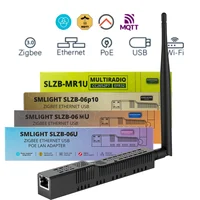

SLZB -06 /09M /06P7 /06P10
1. Before purchasing, please carefully read the functions of each product and choose the correct model. If you purchase the wrong product due to your own reasons after receiving it, we will not support return. Each model has been explained on the details page. Please read carefully)
2. After receiving the goods, if you encounter any product problems, please submit your question to //support.smlight.tech/supportcenter/public/en/customer/create-ticket/
Our technical after-sales development engineer will reply to you as soon as possible and help you solve the problem. Please be patient and wait for a reply.
3.POE Can not Connect to Router Filetype Connect need a Standard 802.3af/at 48V,You Can Order from this link:
//www.aliexpress.com/item/3256808088988634.html?gatewayAdapt=4itemAdapt
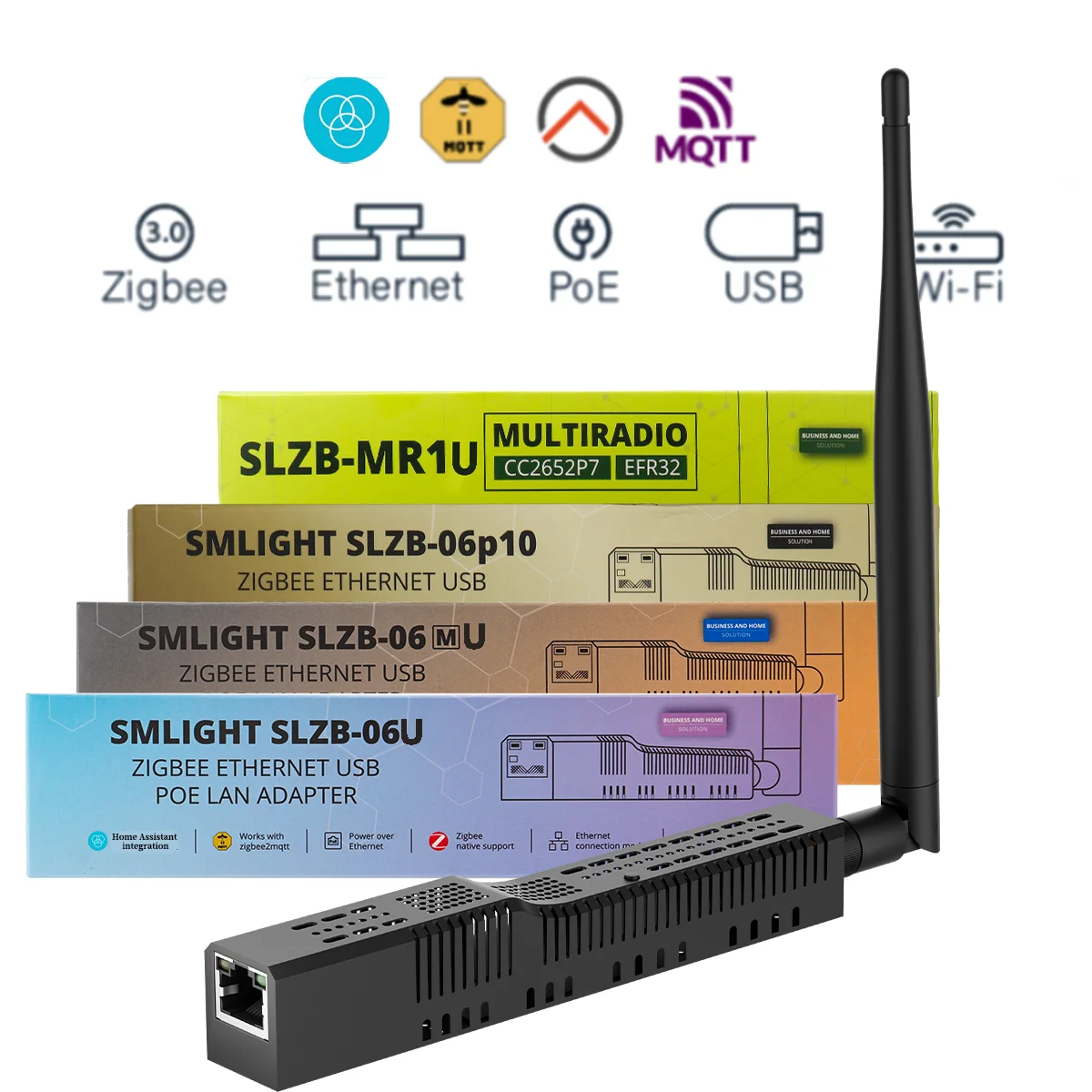
WHAT IS SMLIGHT SLZB-06, SLZB-06M and SLZB-06P7 ZIGBEE ADAPTER?
SMLIGHT SLZB-06/06M/06p7 are a network device that serves as a central bridge for managing communication in a Zigbee network. SLZB-06 can also serve a Matter-over-Thread network. The devices are designed specifically for Zigbee2MQTT and ZHA Home Assistant ensuring smooth work out-of-the-box. These devices have the smallest size and reaches packing.
The SLZB-O6*and MR* series devices are versatileZigbeeadapters that facilitate Zigbee packet forwarding over Ethernet,WiFi,or Serial (USB) connections, serving as access points within aZigbee network.These adapters enable integration of various devices into a unified system. Device can utilizeZigbee,Wi-Fi and Bluetooth radio modes, all in 2.4Ghz range.To utilize the SLZB-O6*series devices,an instance of software managing Zigbee network is required on the host server.
KEY SPECIFICATIONS FOR SLZB-06* SERIES ZIGBEE COORDINATORS:
✅ 3 modes: Zigbee-to-Ethernet, Zigbee-to-WIFI and Zigbee-to-USB.
✅ Matter-over-Thread experimental: SLZB-06 has also experimental supports of Matter-over-Thread.
✅ Options on different Zigbee SoCs: SLZB-06 on CC2652P, SLZB-06p7 on CC2652P7 and SLZB-06M on EFR32MG21.
✅ Pre-flashed and ready to use with Zigbee2MQTT and ZHA (plug-and-play).
✅ PoE and Type-C powering, PoE IEEE 802.3af standard support.
✅ Zigbee and Core firmware OTA update over web-interface (one-click update).
✅ Most powerful version of ESP32 chip inside: 2 cores @ 240Mhz + 16Mb memory.
✅ VPN tunneling with Home Assistant and security authorizations.
✅ Securely protected login with password to web-interface, internal whitelist firewall settings.
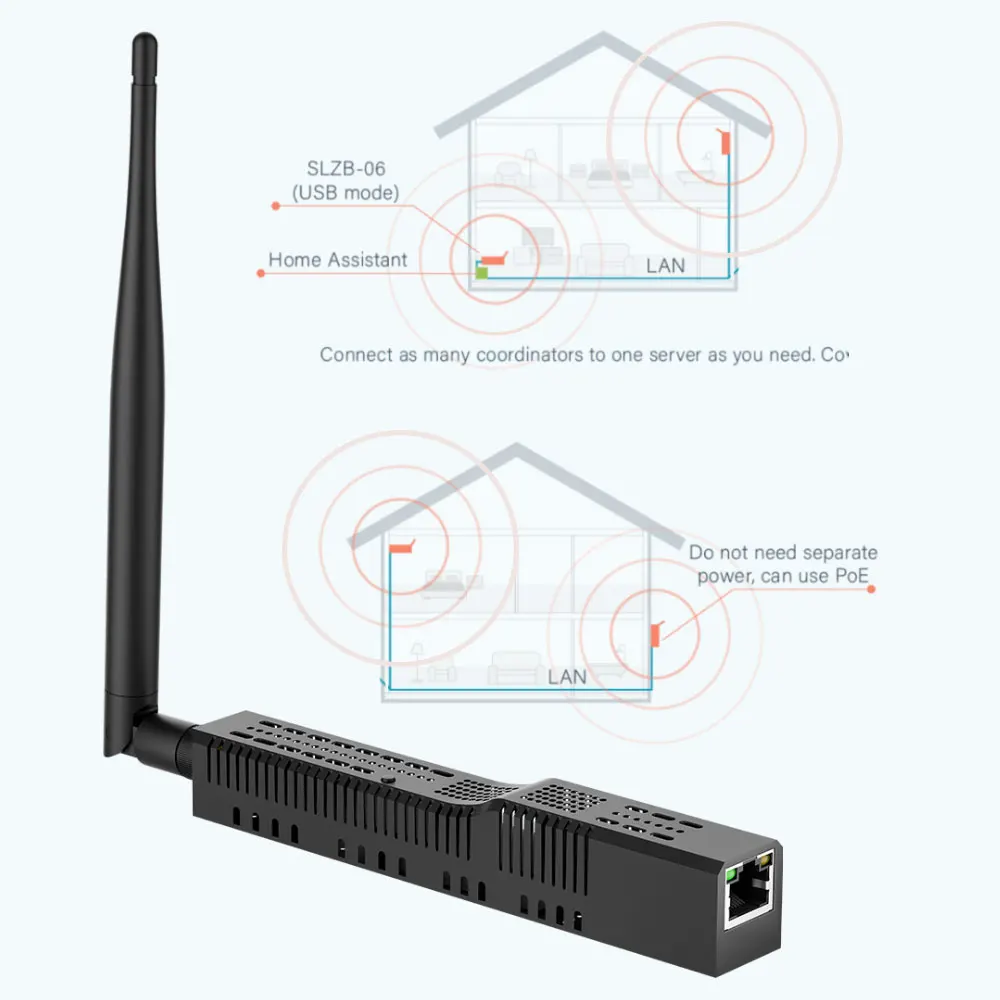
✅ Can cover multiple buildings with 2 or more coordinators and Zigbee2MQTT. You can install as many coordinators to work with Zigbee2MQTT+Home Assistant as you want.
✅ 15 language localization interfaces.
✅ LED control and night mode.
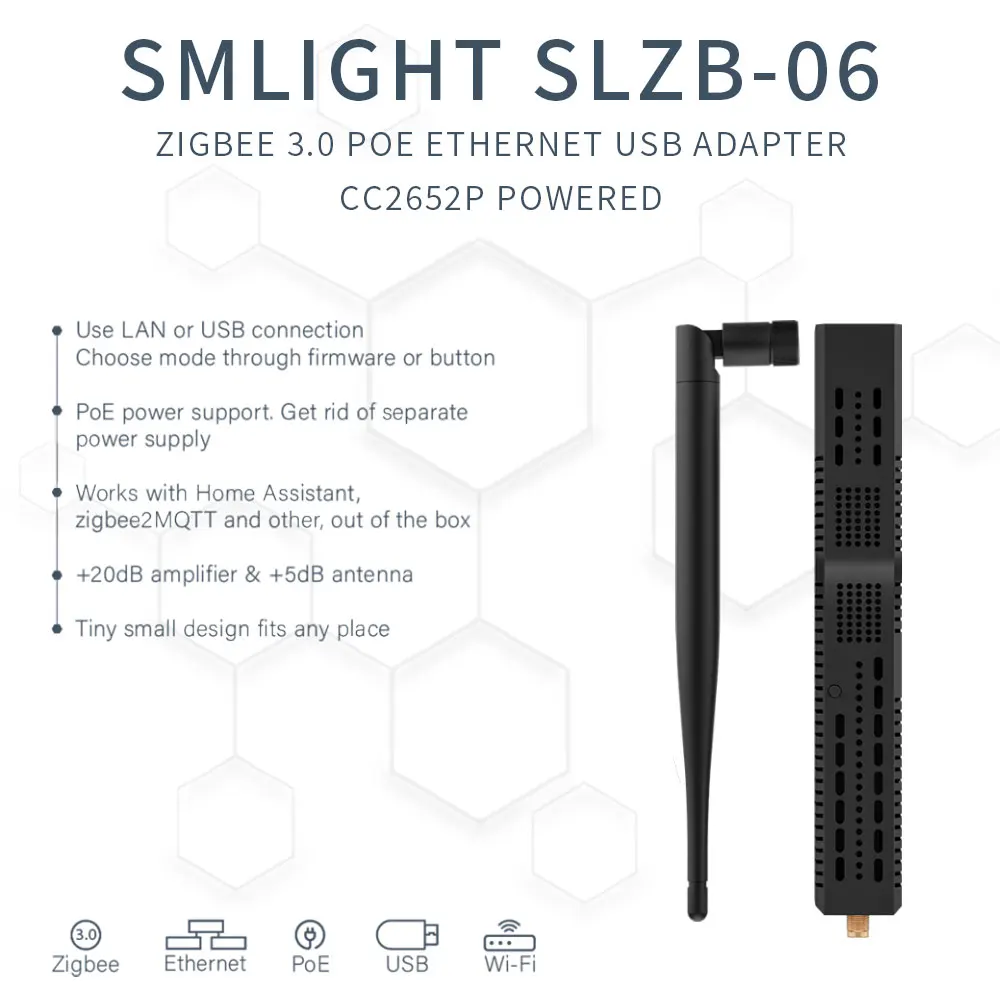
✅ Small and tiny design, just 22x24mm.
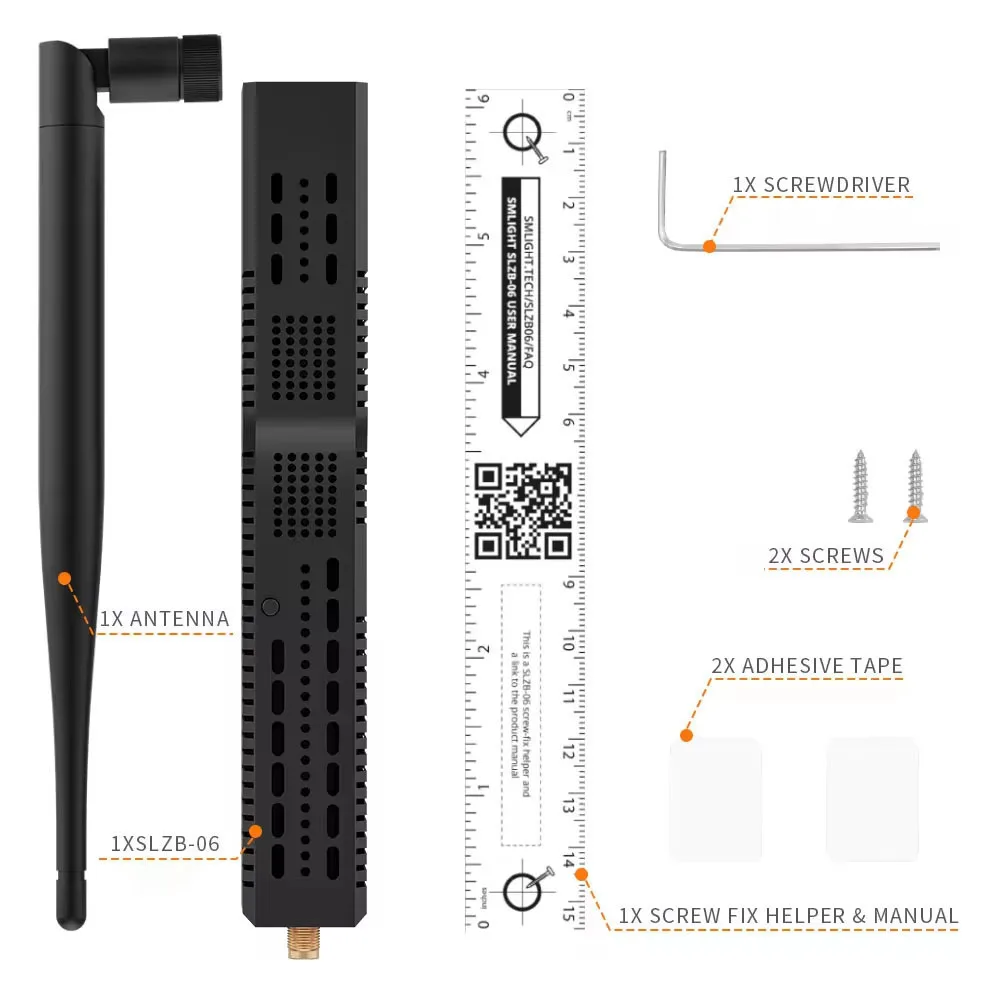
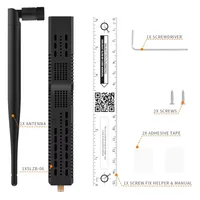
✅ Rich packing: Zigbee Coordinator, +5dB antenna, screws and screwdriver, adhesive tape, Type-C adapter, manual.
✅ Coordinator or Router Zigbee firmware.
✅ Standard or Opensource Core firmware.
ZIGBEE SOC SPECIFICATIONS:
⭐ SLZB-06,(NEW! Experimental Matter-over-Thread support! since Apr’24) based on CC2652P Zigbee chip with Cortex M4F 48Mhz, 88kB RAM; recommended by Zigbee2MQTT; completely good for ZHA;
⭐ SLZB-06M,based on EFR32 Zigbee chip with Cortex-M33 80Mhz, 96kB RAM – native for ZHA Home Assistant and works well with Zigbee2MQTT;
⭐SLZB-06p7,based on CC2652P7 Zigbee chip with Cortex-M4F 48Mhz, 153kB RAM, new for Zigbee2MQTT and for ZHA;
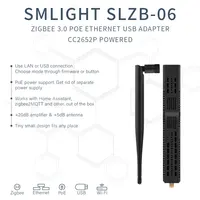
⭐SLZB-06P10 : Use LAN or USB connection Choose mode through firmware or button; Zigbee USB adapter based on CC2674P10 SoC ;PoE power support, Get rid of separate power supply; Works with Home Assistant.;zigbee2MQTT and other, out of the box;+20dB amplifier & +5dB antenna ;Tiny small design fits any place
⭐SLZB-06-NO-POEis the same as SLZB-06 on CC2652P, but without PoE support.
As of April 2024, SLZB-06 has experimental Matter-over-Thread support.
⭐SLZB-06MG24: Use LAN or USB connection .Choose mode through firmware or button .Zigbee USB adapter based on EFR32MG24 SoC .PoE power support. Get rid of separate . power supply . Works with Home Assistant,zigbee2MQTT and other, out of the box . +20dB amplifier & +5dB antenna . Tiny small design fits any place
COMPARE DIFFERENT MODELS:
CORE FIRMWARE VIDEO REVIEW:
Have a look at You tube’s 10 min SLZB-06 firmware video review. Click to open on You tube
🤝 QUESTIONS AND ANSWERS:
Q1: Do these coordinators work with Zigbee2MQTT and ZHA?
A1: Yes, all models work with both Zigbee2MQTT and ZHA.
Q2: Do I benefit from using SLZB-06p7 based on newer SoC C2652P7?
A2: If you do not plan to have more than 200 end Zigbee devices, you do not need pay more for CC2652P7 chip. Moreover, CC2652P and CC2652P7 are based on the same processor Cortex M4F 48Mhz, the only difference is RAM.
Q3: Can I connect multiple adapters to the same instance of Home Assistant?
A3: Yes, you can. You will need to run two or more instances of Zigbee2MQTT. Please check out the product manual with an explanation.
Q4: Can I use “passive” 24V PoE?
A4: Adapter supports active PoE standard IEEE 802.3af. So Only PoE routers and injectors with this standard will work.
Q5: Is it possible to use device in Wi-Fi mode?
A5: Yes, it is. What you need is just choose mode to Zigbee-to-Wi-Fi and connect to your Wi-Fi network.
Q6: Are there any delays in Zigbee while using via Ethernet?
A6: No, actually Ethernet 100Mb is much faster rather than the baud rate used for USB serial connection 115k.
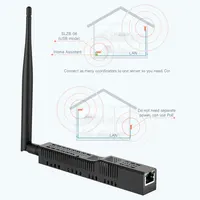
Q7: My Home Assistant server is located in the basement. Can I put SLZB-06 in my leaving room and connect to it via Ethernet?
A7: Yes, basically that is the point for SLZB-06: you can locate your Zigbee Adapter wherever you want and do not stick to the server. Even remote connection remote buildings works.
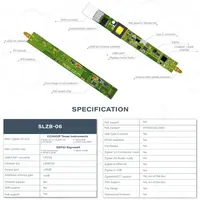
Specification:
Model: SLZB-06Mg24
Adapter size:160x23x25mm
Antenna size:195x12x12mm
Zigbee SoC: EFR32MG24
Core SoC:ESP32
PoE support:Yes
Flashed & Plug-and-Play: Yes
Packing:
1x SLZB-06Mg24 Zigbee Ethernet
USB POE LAN Adapter1x Antenna
1x Screw-fix helper & manual QR
*2x Screws (optional)
*1x Screwdriver (optional)
*2x Adhesive tapes (optional)
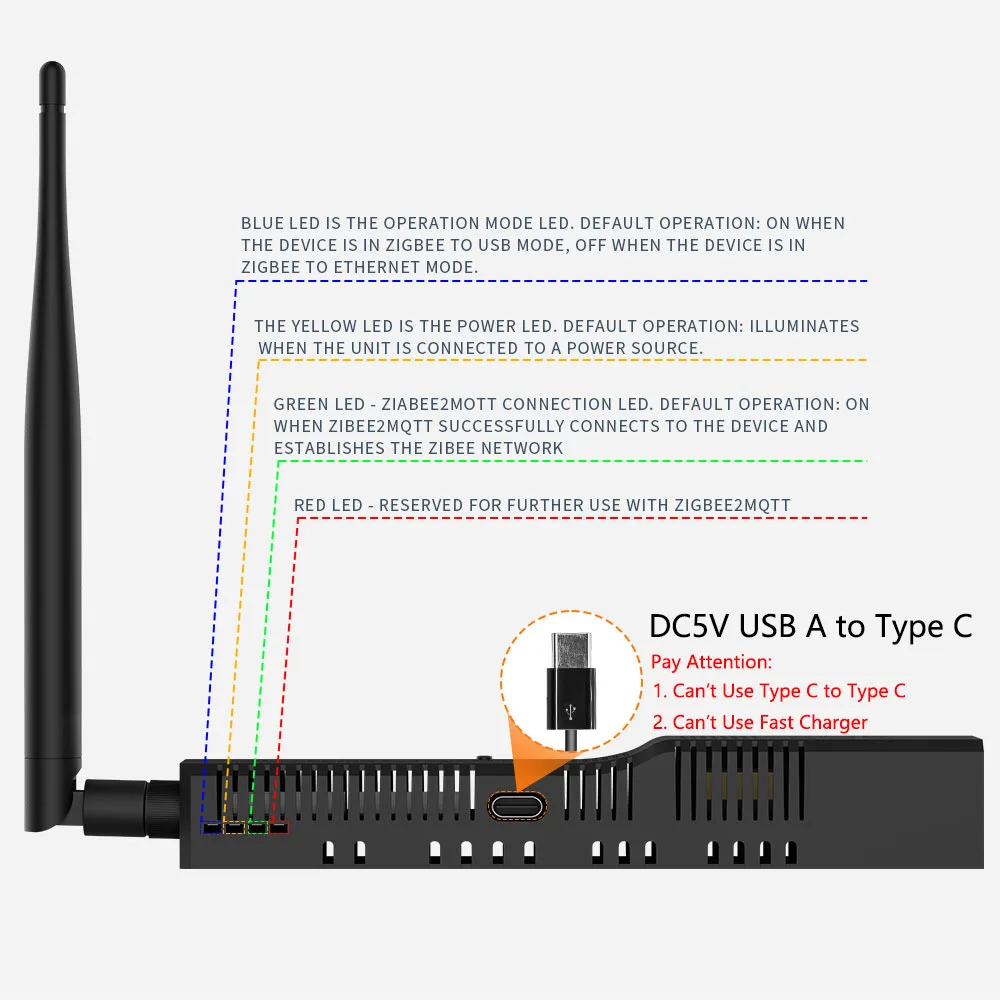
Powering the Device
The SLZB-Oo* and MR* series devices can be powered via:
●Power over Ethernet(PoE48V):Utilizing an Ethernet cable.
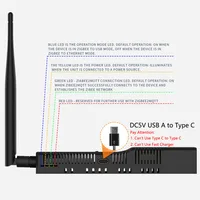
● Type-C USB Connection: Usingthe provided Type-C port.
Note: The package OPTIONALLY includes a MicroUSB-to-Type-C adapter for users without a Type-C cable. Additionally,the device featuresoptoelectronicisolation,allowingsimultaneous connections toa PC via USB and to a network via Ethernet/PoE.
LED Indicators
-Yellow LED (Power Indicator):IlluminatesWhen the device is powered.
-Blue LED (Operation Mode Indicator): On inZigbee-to-USB mode; off in Zigbee-to-Ethernet mode.
-Green LED(Zigbee2MQTT Connection Indicator):Illuminates When Zigbee software on the host server successfully connects and the Zigbee network is established (if supported by Zigbee software on the host server).
Mounting the Device
The SLZB-OG* andMR* series adapters can be mounted using either the included double-sided adhesive tape or screws:
Using Adhesive Tape
1. Clean the mounting surface to ensure it is free from dust and debris.
2. Peel off one side of the adhesive tape and affix it to the back of the adapter.
3. Peel off the remaining side and press the adapter firmly onto the desired surface.
Using Screws
1.Position the screw helper at the desired location andmark the screw holes.
2. Install screws at the marked positions.
3. Align the adapter with the installed screws and secure it by slightly moving device being located on screws already.
Tip:The included serewdriver and screw-helper facilitate easy installation.
Installation
Host server Zigbee software set-up
Connection over Ethernet
1.Connect the Adapter: Insert an Ethernet cable into the SLZB-O6* and MR* Series RJ45 port.
2. Configure host server Zigbee software:
port: tep://[IP ADDRESST:o638
Replace [IP_ADDRESS]with the device’s IP address.
Connection over USB
1. Connect the Adapter: Use a Type-C cable to connect the device to your host server.
2. Install NecessaryDrivers:If the device isn’t recognized,install the CP21O2 drivers from Silicon Labs or other,as marked by manufacturer in the manual.
3. Configure host server Zigbee software:
port: /dev/ttyUSBO
Adjust the port as needed based on your system.
Network Configuration
● Static IP Address: The SLZB-O6* and MR* series supports DHCP by default but can be configured with a static IP through the device settings.
● WiFi Setup: Navigate to the device’s web interface and enter WiFi credentials under the Network tab
● Port Forwarding: If accessing remotely,configure port forwarding on your router.
Firmware Updates
1. Access the Web Interface: Navigate to the device’s IP in a browser.
2. Check for Updates: Go to the Firmware tab and check for available updates.
3. Update Process: Click ‘Update’ and wait for the device to restart.
Troubleshooting
●Device Not Connecting:Ensure power and network cables are properly connected.
●Host Server Software is Not Detecting:Verify the correct port is set in configuration of your host server software.
PHOTOGALLERY:
OTHER DATA:
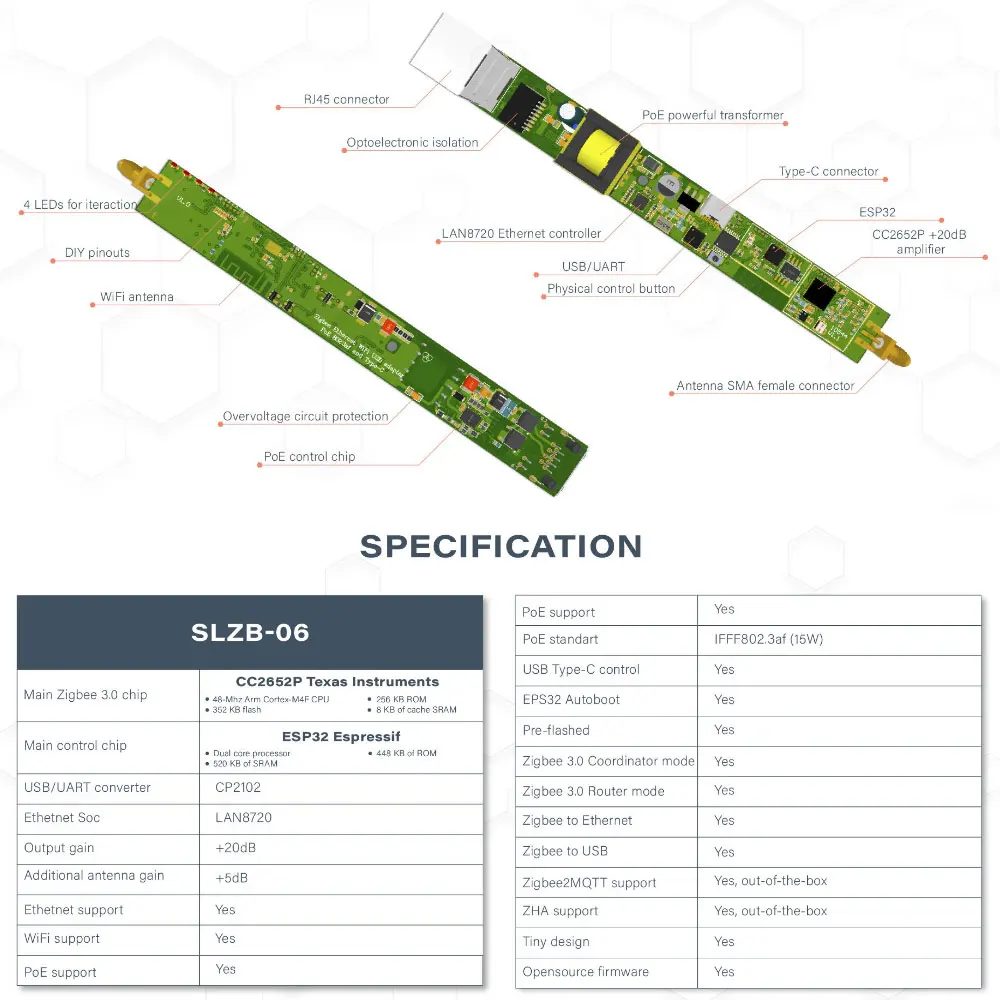
· Wireless SoCs: Zigbee Texas Instruments CC2652P1FRGZR, Arm Cortex-M4F microcontroller @ 48 MHz with 352KB flash, 256KB ROM for protocols, and library functions,80+8KB SRAM, integrated power amplifier, Bluetooth 5.2 Low Energy and 802.15.4 radios
· Wireless SoCs: Core Espresso Systems , ESP32-DOWDQ5-V3 dual-core processor @ 240MHz with 448 KB ROM, 520 KB SRAM, 16 KB SRAM in RTC, WIFI and BLE connectivity
·Connectivity
Ethernet RJ45 port with PoE support (IEEE 802.3af) implemented through Microchip LAN8720 10/100M Ethernet
controller
2.4 GHz WIFI up to 100 Mbps
Zigbee 3.0 support
+5dB SMA antenna included
· USB – USB Type-C port for data and power
· Misc. – 4x user LEDs, 1x button
· Power Supply – 5V/200mA via USB or PoE
· Dimensions – 160 x 24 x 22mm
· Operating temperature: +5◦C – +35◦C
Note:
· SLZB-06 designed to work with Zigbee2MQTT or ZHA integration for Home Assistant







Reviews
Clear filtersThere are no reviews yet.