
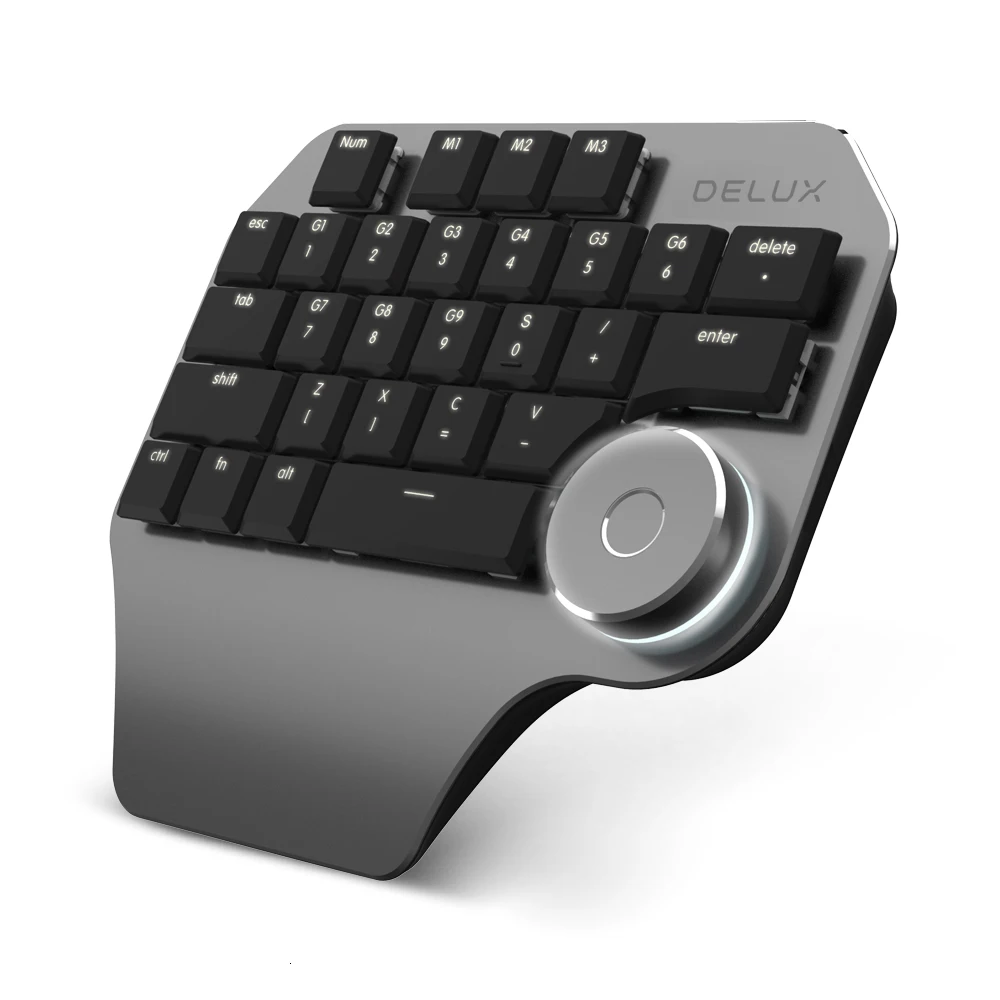
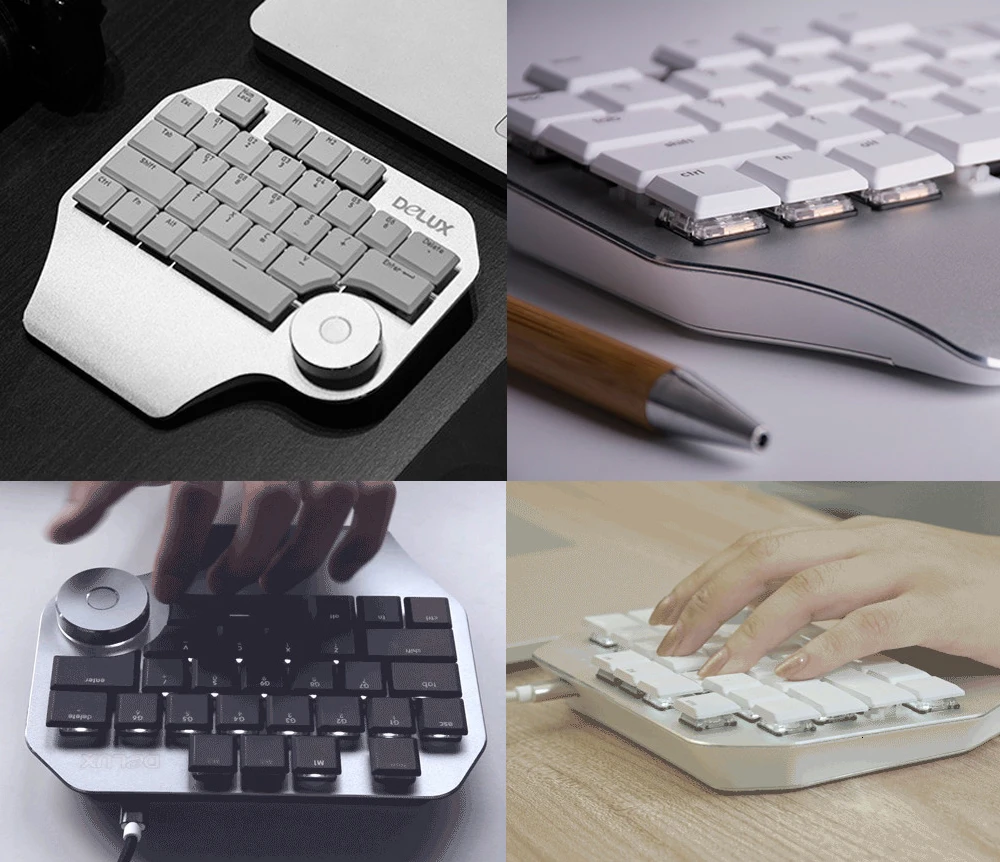
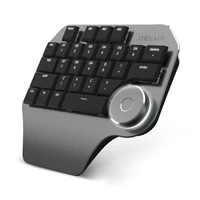

Delux T11 Designer Single HandErgonomicKeyboard + Surface Dial + M618 Mini Wireless Bluetooth Vertical Mouse Combo For Laptop
Description:
-
-100% brand new and in high quality
-
-Plug and play, do not need to install any driver, easy to use.
-
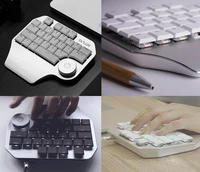
-Ergonomics design is made for gamers, officers, etc..
-
-Humanized design, adding a series of shortcut function keys.
-
-Kailh switch is the design of the click and tactile feedback mechanism, this design provides excellent feedback.
-
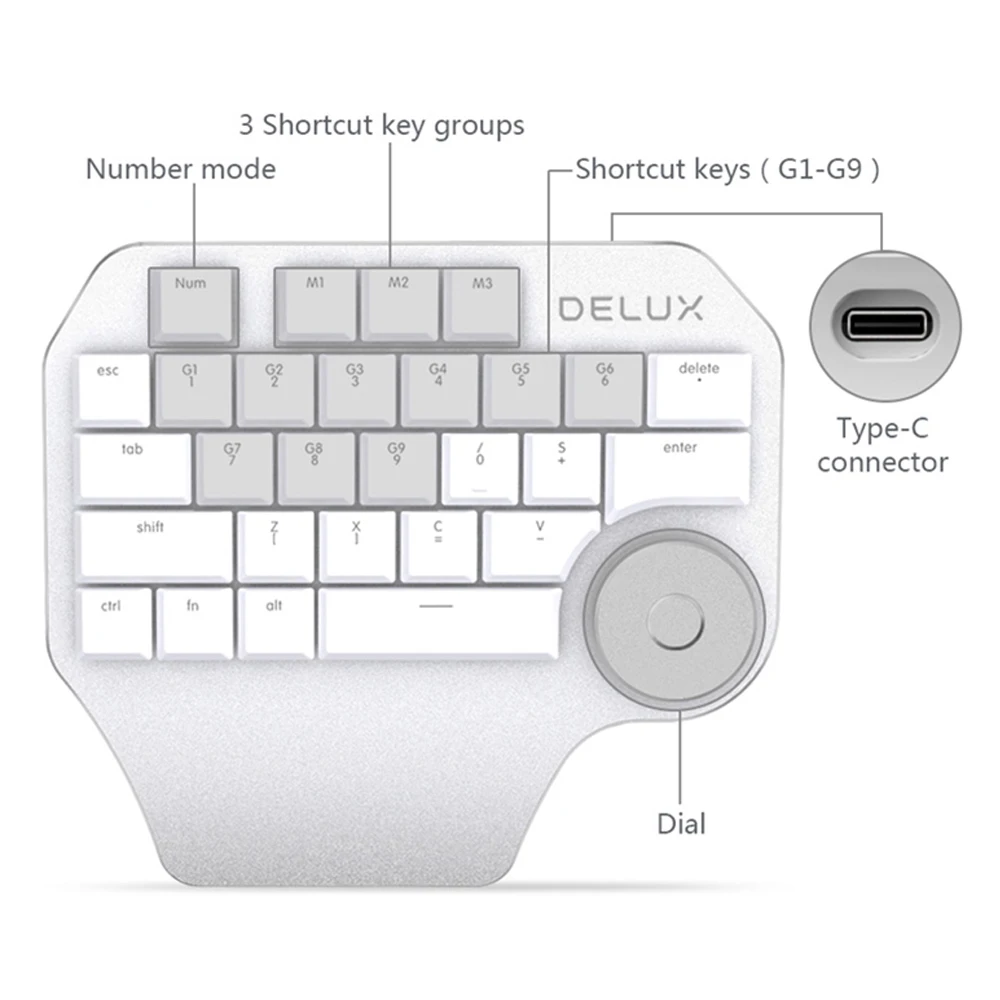
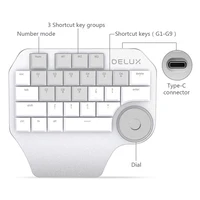
-28 Functional keys programmable with driver (FN, NumLock, M1, M2 and M3 are not included)
-
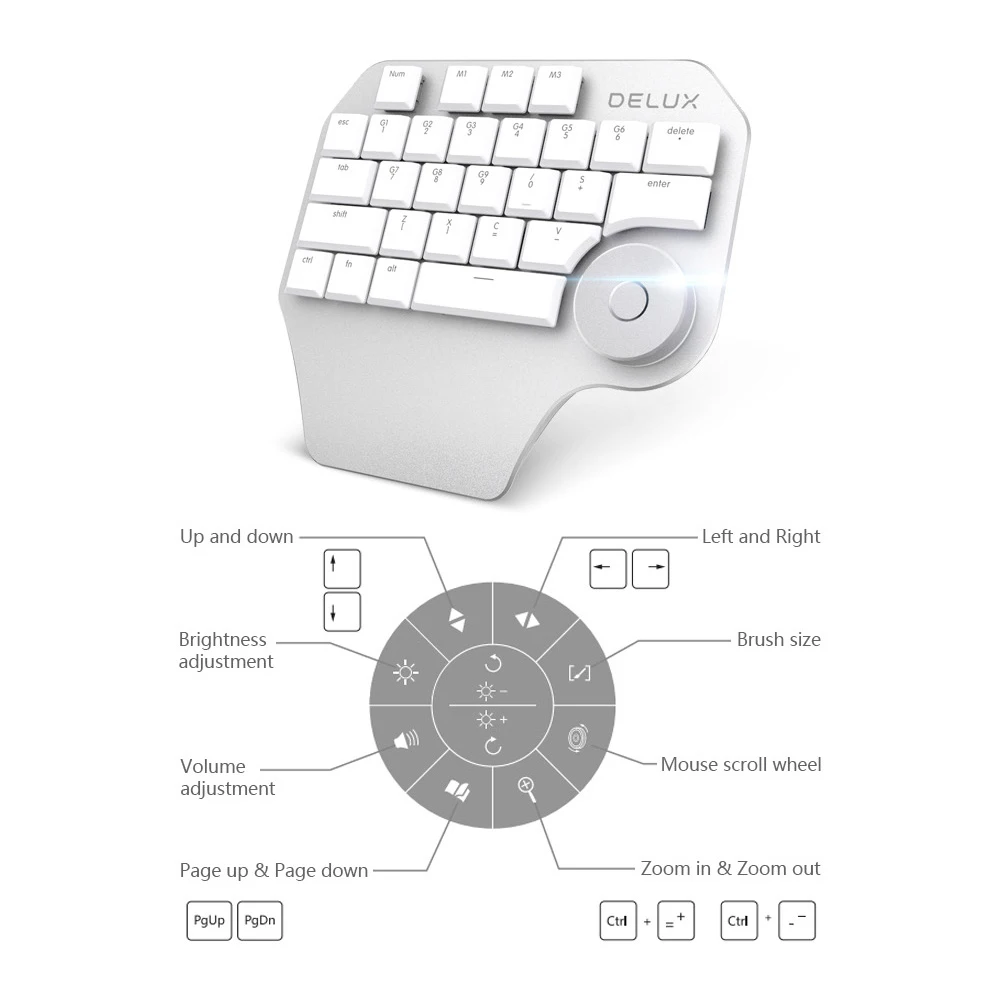
-A multi-functional Dial, which is compatible with 9 major designing software, making designing easy.
-
-Three groups of(M1/M2/M3)shortcut keys by driver, Each group has 9 (G1-G9) shortcut keys for mainstream design software
-
-Two color Aviliable, Three backlight modes
-
-Full-lighted (Fn+M1), Breathing light (Fn+M2), Single light (Fn+M3)
-
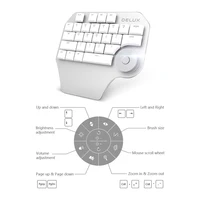
-Multi-functional dial has functions like turn up and down, turn left and right, zoom in, zoom out, page up, page down,
-
volum adjustment, brightness adjustment, etc.
-
-Compatible with Wacom,making it extermely convenient when drawing
-
-With mechanical key switches and crafted out of aluminum with a premium finish
-
-3 Backlight modes: Full-lighted (Fn+M1), Breathing light (Fn+M2), Single light (Fn+M3)
-
-Great for typists, programmers, Gaming etc.
-
Parameters:
-
Key number: 28 basic keys +1 Smart Dial
-
Keystroke life: ≥10,000,000
-
Working temperature: 0~45℃
-
Working voltage: DC 5V
-
Key operating force: 55±7g
-
Keycaps pulling force: ≥0.8kg
-
Operation system:for Windows2000/XP/VISTA/7/8/10 for Mac OS
-
Interface: USB Type-C Charge Port
-
Connection Way: Wired
-
USB Type-C Cable Length: 1400mm
-
Key life: 80 million Times
-
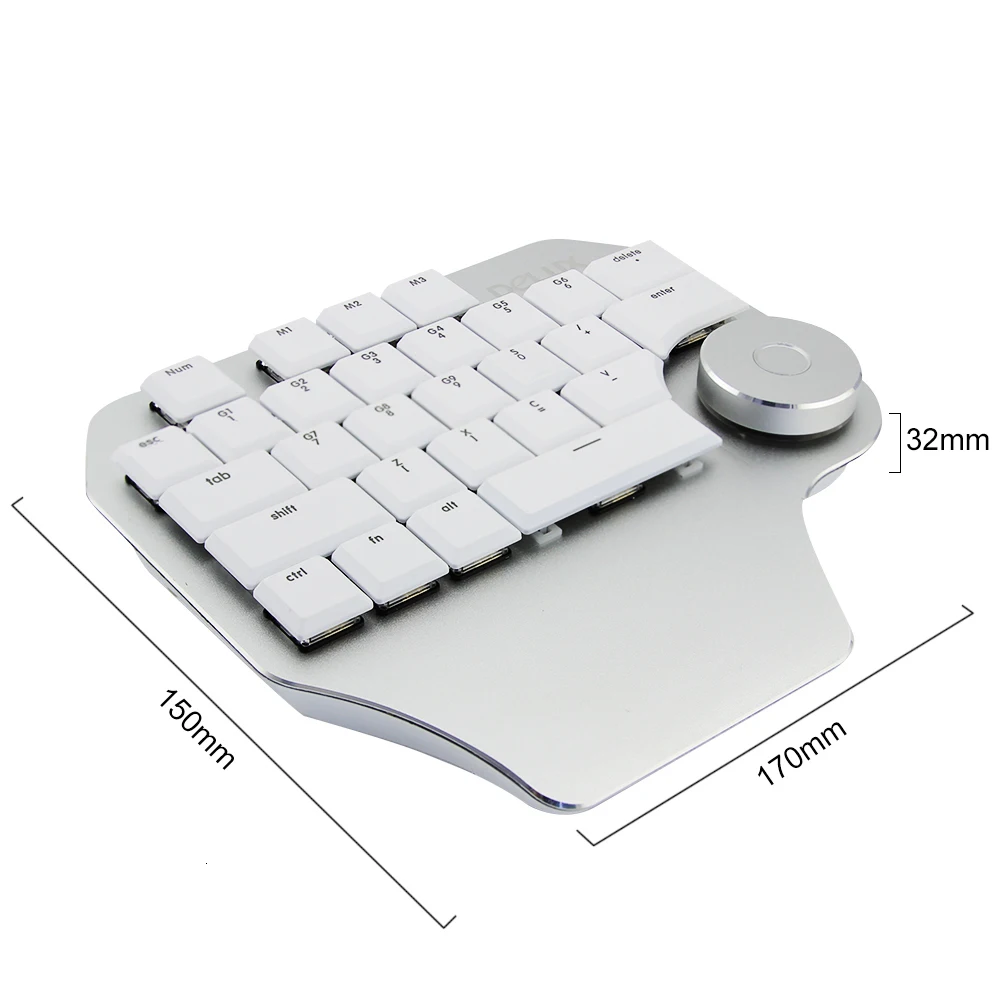
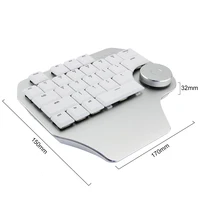
Product size: approx. 170*152*28mm
-
Net weight: approx. 300g
-
Gross weight: approx.500g
-
Material: ABS + Aluminum Alloy
-
Color: Silver, Grey
-
Warranty: 1 year
-
Type: Mchanical Designer Single Hand Keyboard
-
Axis: Kailh Switch
-
Operating Temperature: -5-+40 C
Note:
-
Pressing the middle button of dial for one second or click the middle button of disal on the driver to activate knob functional setting interface
-
(can only be activated after the driver is installed)
-
You can select the function by rotating the dial or clicking by mouse.
-
Visit 3w.deluxworld dot com to download the driver and set the functions.
-
1. Under NUM Mode, if there is no customized seetings for G1-G9, default function please refer to the characters (number and symbol) in the second row.
-
2. There are present shortcut keys for different design software in the driver. You can edit and delete, also can add new software setting by clicking “Add”
-
3. Customizable keys: G1-G9, Delete, S, /, Z, X, C, V, click these keys, the setting window will show up.
-
4. About key setting, you can set Single key, Macro setting, Multimedia and Combo keys. click “K” (shown on the picture)
-
or ” Fn + Ctrl” to active soft keyboard. Click any key on the soft keyboard, it will show up in the blank space .
-
5. Combo keys: Click ” Clear setting” and type the key you need if you want to change the combo. You can also to add mouse function in the combo.
-
6. Multimedia: Click “Multimedia” to set multimedia function for certain keys.
-
7. Macro: Click “Record” and add action on the window, click + or – to add new qction or delete action. Record delay and record cycles can be set.
-
More practical and interesting functions are waiting for you to explore
Consumers feedback
Product display







Reviews
Clear filtersThere are no reviews yet.