
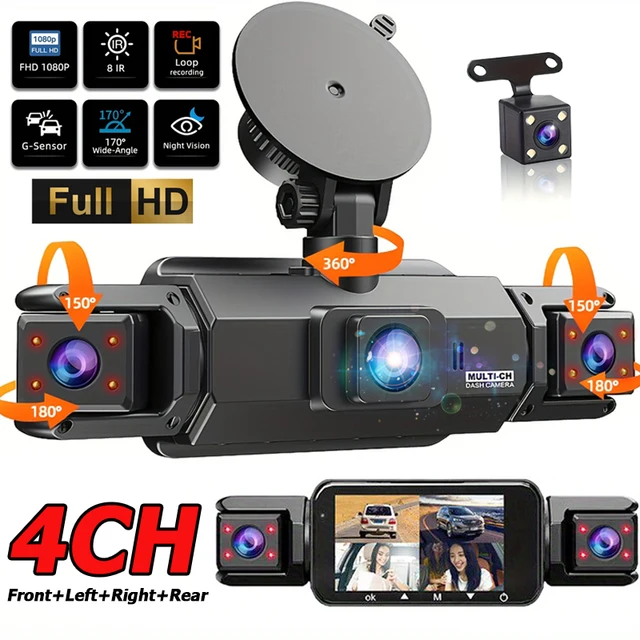
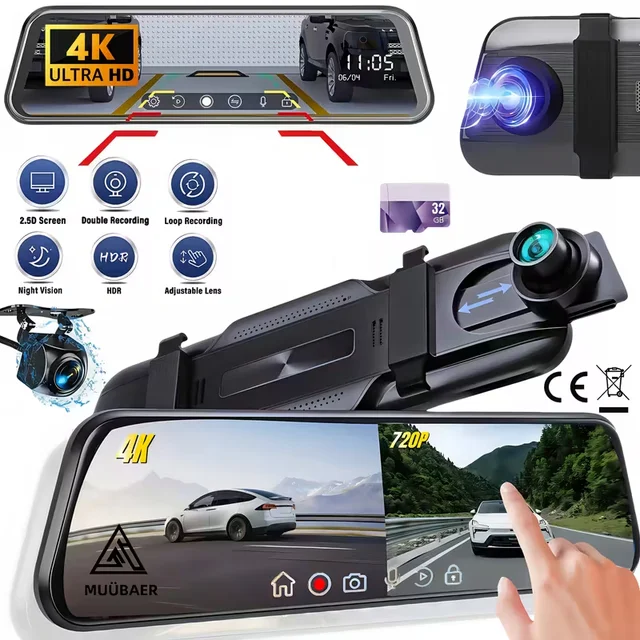
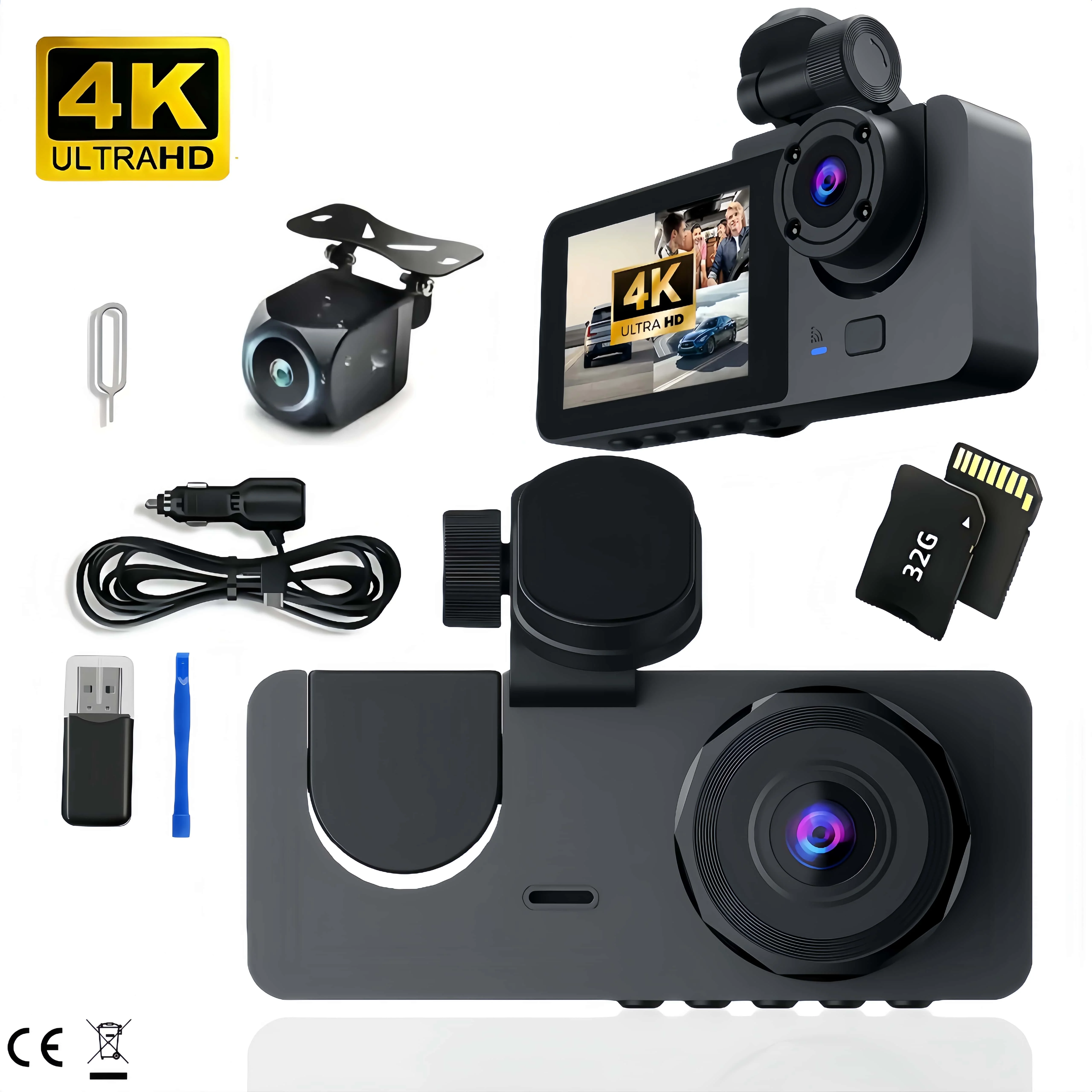

This is a three-camera car recorder.
Front camera + Built-in camera + Rear camera + 32G memory card
Product Specifications:
3 Channels
[Front 4K+Interior 720p+Rear 720p]
Screen size: 2 inches
File format: AVI
Voltage 1 Current: 5V/1A
Video resolution: 4K; 720P; 720P
Continuour Loop Video: Seamless Loop Recording
Automatic power on/off: support automatic ignition and shutdown
Interface: Support type-c
Time Synchronization: Support
Support memory card: TF (maximum support 64 GB)
Built-in stereo: support
Frequency: 50HZ / 60HZ
Supported languages: Chinese, English, French, Russian,Japanese, Spanish,Korean,etc.
New HD 3 Lens Dash Camera
Only Front Camera: 4K
Front & Inside & Rear Camera:4K+720P+720P
Starlight Night Vision
With the help of F2.0 wide aperture and the decent low-lightperformance of the lens, the car camera is able to capturedetails like license plates at night.
24h Parking Monitor
When Someone Near Your Car Or Vehicle Starts To Move,Automatically Turn On And Start Recording When Detects Any Impact Or Collision,The Device AutomaticallyAutomatically Recording For Few Seconds,Make Sure 24hr Parking Guard.Attention: It Should BeConnected By A Dvr Exclusive Power Cable
To protect your privacy, the TF card needs to be formatted for the first time. There are the following methods
1. Insert the TF card correctly into the dash cam, open the camera settings, find the storage card format, confirm that the formatting is complete, and then restart the camera to use.







Reviews
Clear filtersThere are no reviews yet.